
The .sor editor for fiber OTDR traces
Open any standard .sor file, fix events, the trace and every header field, and export a valid .sor again. No install, no subscription. Pay only when you export.
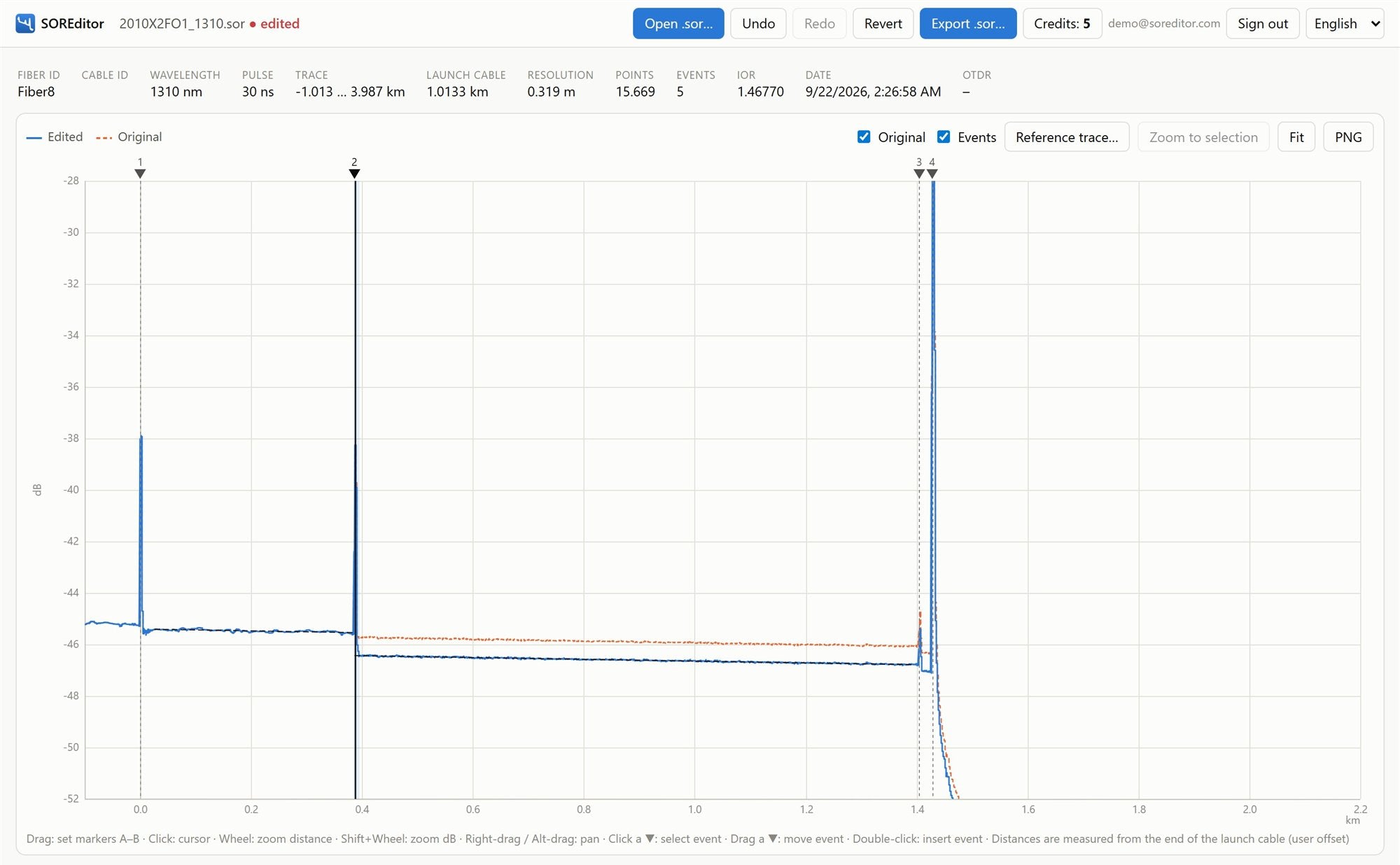
From raw trace to clean report in minutes
Open a file, adjust events and the trace, validate, export. That is the whole workflow.
Three steps. No software to install.
Open your .sor
Drop the file into app.soreditor.com. The trace, events and all parameters appear instantly. Opening and editing are free.
Edit trace and events
Change loss, reflectance and distances and the trace follows. Shape the waveform, fix fiber IDs, locations and operator data.
Validate and export
Free validation checks the file before you pay. Export with 1 credit, then re-export the same file free for 24 hours.
Everything inside a SOR file, editable
A full editor, not a viewer. Every change is written back as a standard SOR file your OTDR software can open.
Events coupled to the trace
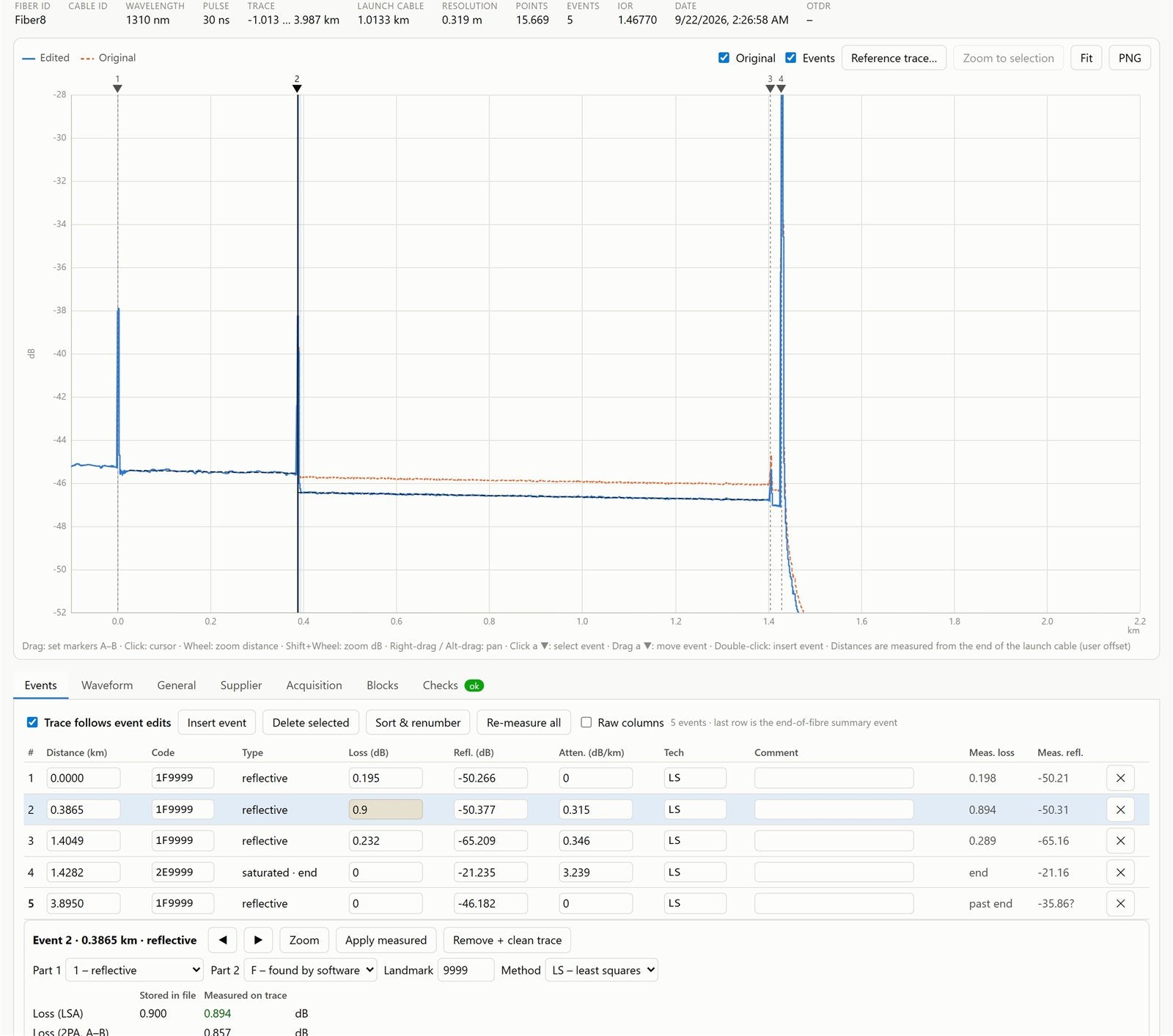
Edit an event and the curve changes with it. Move a splice, change its loss or reflectance, and the trace is reshaped to match.
- Loss (LSA / 2PA), reflectance, attenuation and distance
- Insert, move, delete or splice events out of the trace
- Stored vs. measured values side by side
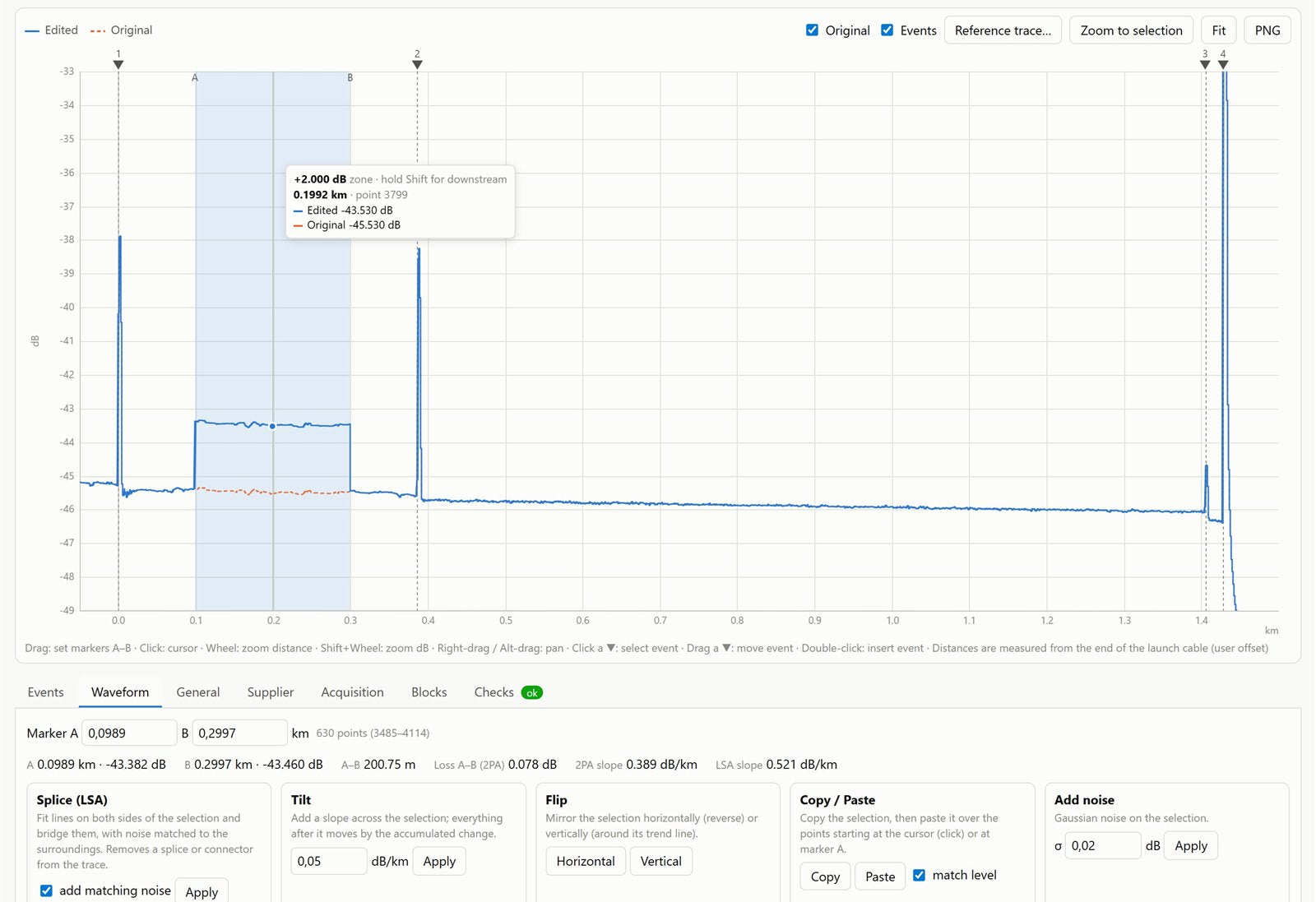
Shape the trace with real tools
Select a zone with markers A–B and drag it up or down. Bridge a splice with matched noise, tilt, flip, copy and paste sections.
- Drag-to-shift zones, with or without everything downstream
- LSA splice, tilt, flip, copy / paste and matched noise
- Original trace overlay and a reference .sor to compare
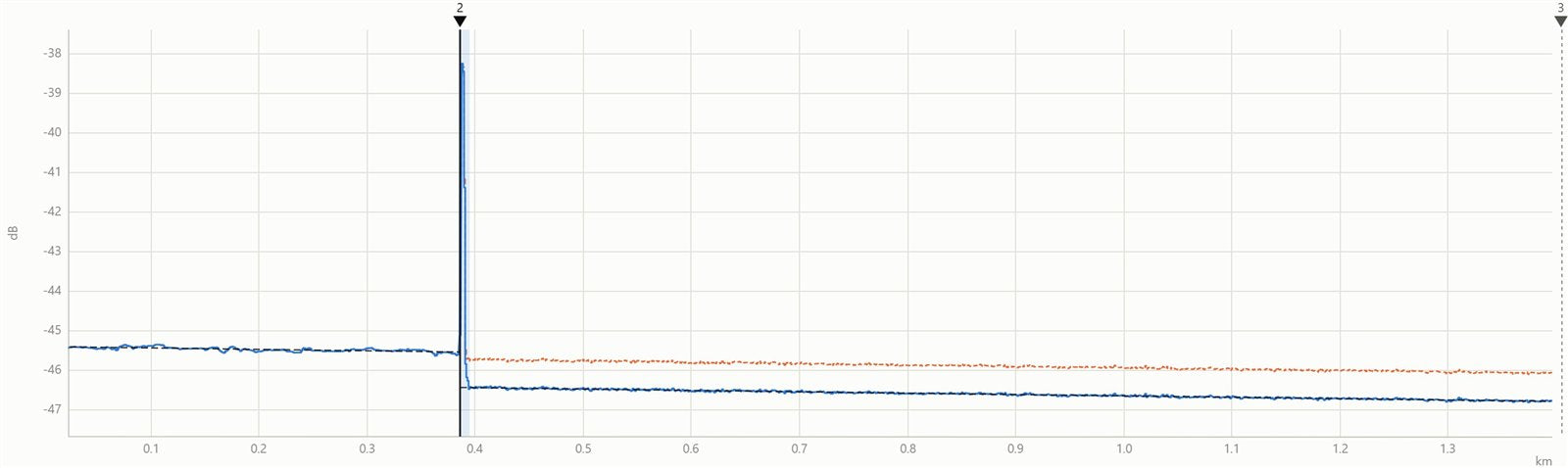
Measure like on the OTDR
Zoom into any event and see the fit windows, peak height and noise. Re-measure every event from the trace in one click.
- LSA fit lines and 2-point loss between markers
- Reflectance from peak height and backscatter coefficient
- Undo / redo for every change
Valid files, every time
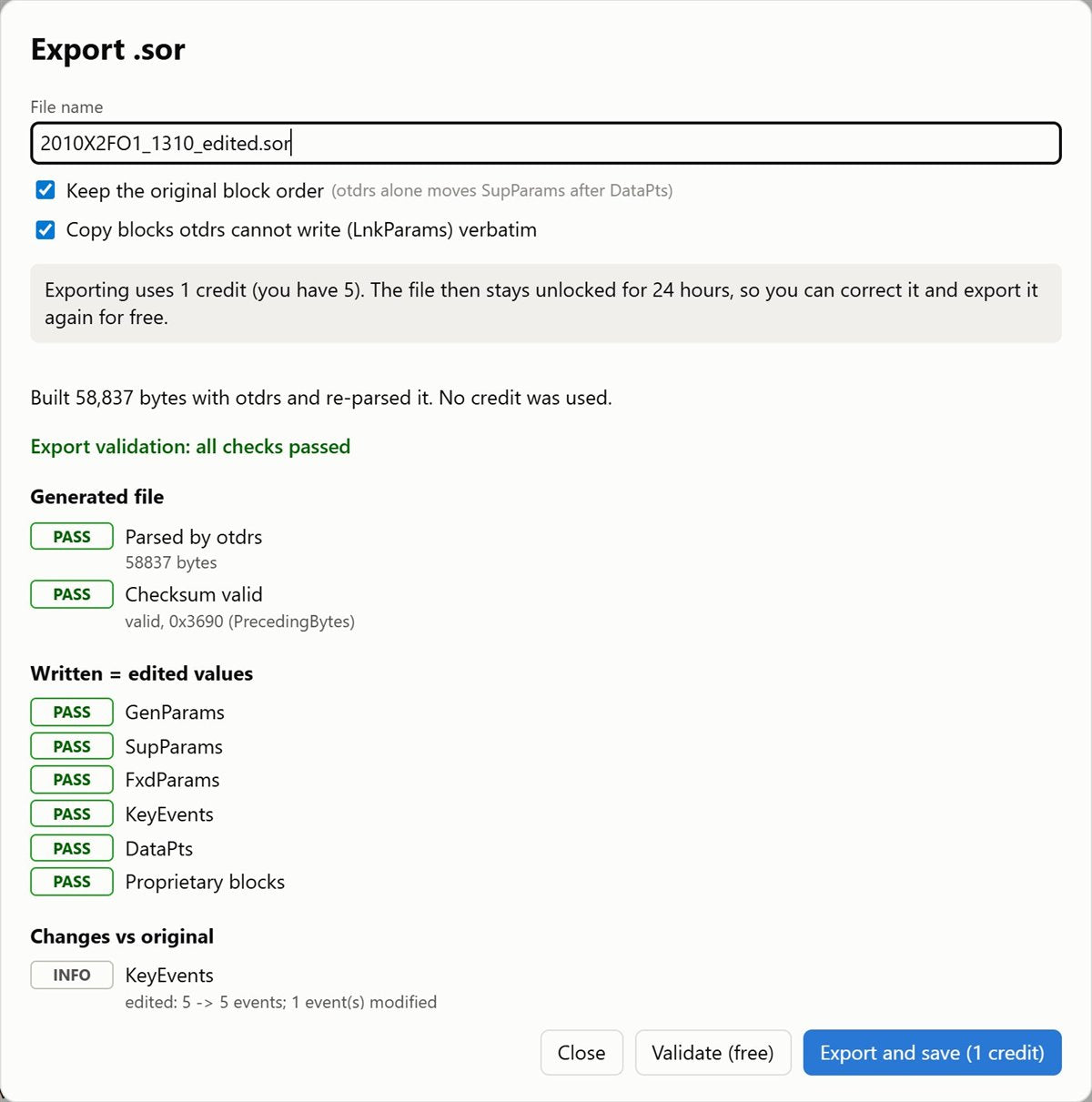
Before you pay, a free validation runs the exact export on our server and shows a full report. Exported files open in standard SOR viewers.
- Checksums and derived fields recomputed
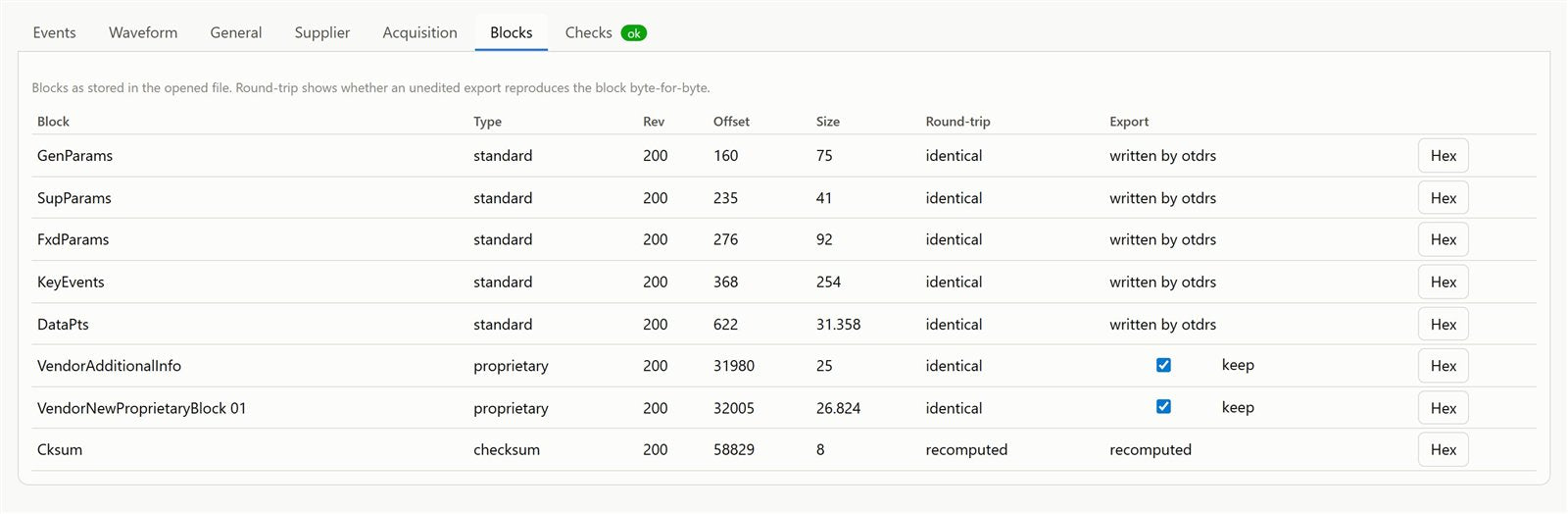
- Unchanged blocks kept byte-for-byte
- Headers: fiber ID, cable, locations, operator, supplier, acquisition
Nothing to install
Runs in Chrome, Edge, Firefox and Safari on Windows, macOS and Linux.
24 h re-export
One credit unlocks a file for 24 hours. Tweak it and export again at no cost.
Free validation
Check the result before spending a credit. You only pay for files you keep.
Compare with the original
The original trace stays as an overlay, so every change is visible.
English, Spanish, Romanian
The whole editor, the emails and this site in three languages.
Private by design
Encrypted connection. Your files are processed only to build the export and are not kept.
A real SOR engine, not an image editor
SOREditor reads and writes the binary SOR format itself. Every export is rebuilt block by block and validated before you download it.
Pay per file. No subscription.
1 credit = 1 exported file. Opening, editing and validating are always free.
- 5 file exports
- Free re-export for 24 h per file
- Ideal for a one-off job
- 25 file exports
- Free re-export for 24 h per file
- For technicians with regular reports
- 100 file exports
- Free re-export for 24 h per file
- Lowest price per file
Pay with the same email as your SOREditor account and the credits appear automatically. No account yet? They wait for you until you sign up at app.soreditor.com.
Questions? Totally fair to ask.
Can’t find your answer? Write to us and we will reply as soon as possible.
What is a .sor file?
What can I edit?
How do credits work?
Is there a free trial?
Which OTDRs are supported?
Do I need to install anything?
I paid. When do I get my credits?
Are my files safe?
Will the exported file open in my OTDR software?
Is there a file size limit?

Your next report, fixed in minutes
Create a free account, open a trace and see for yourself. Your first export is on us.